

Appearance
RevenueCat
Connect RevenueCat to track revenue and subscription data in Linkrunner with automatic webhook-based event mapping
Linkrunner integrates with RevenueCat to automatically track revenue and subscription data. Once configured, RevenueCat will send webhook events whenever subscription or revenue events occur. Linkrunner will automatically match these events with attributed users to provide you with revenue analytics per campaign.
How it works
Unlike other analytics integrations that push data from Linkrunner, RevenueCat uses a webhook-based approach:
- RevenueCat sends webhook events to Linkrunner whenever a subscription or revenue event occurs
- Linkrunner automatically matches these events with attributed users
- RevenueCat events are automatically mapped to Linkrunner revenue types
- Events are categorized into three status types based on payment outcome
Prerequisites
| Requirement | Description |
|---|---|
| Linkrunner account | A Linkrunner account is required to take advantage of this integration. |
| RevenueCat account | A RevenueCat account with webhook access. |
| iOS or Android app | This integration supports iOS and Android apps. |
| Linkrunner SDK | You must have the Linkrunner SDK installed in your app. |
Steps to setup
Navigate to Integrations
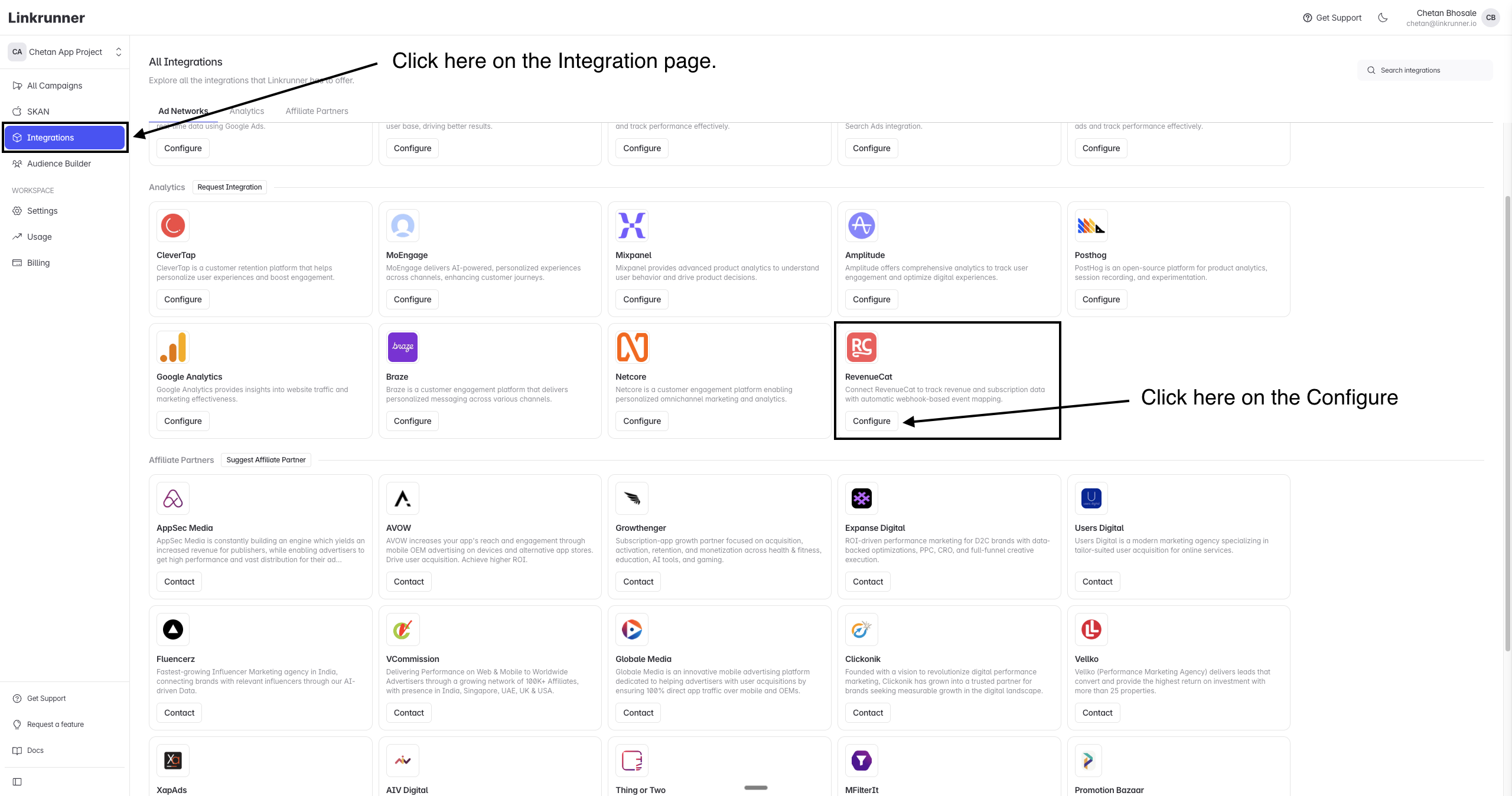
In your Linkrunner dashboard, click on Integrations from the left-hand panel. Under the Analytics section, find RevenueCat and click Configure.
Copy the Webhook URL
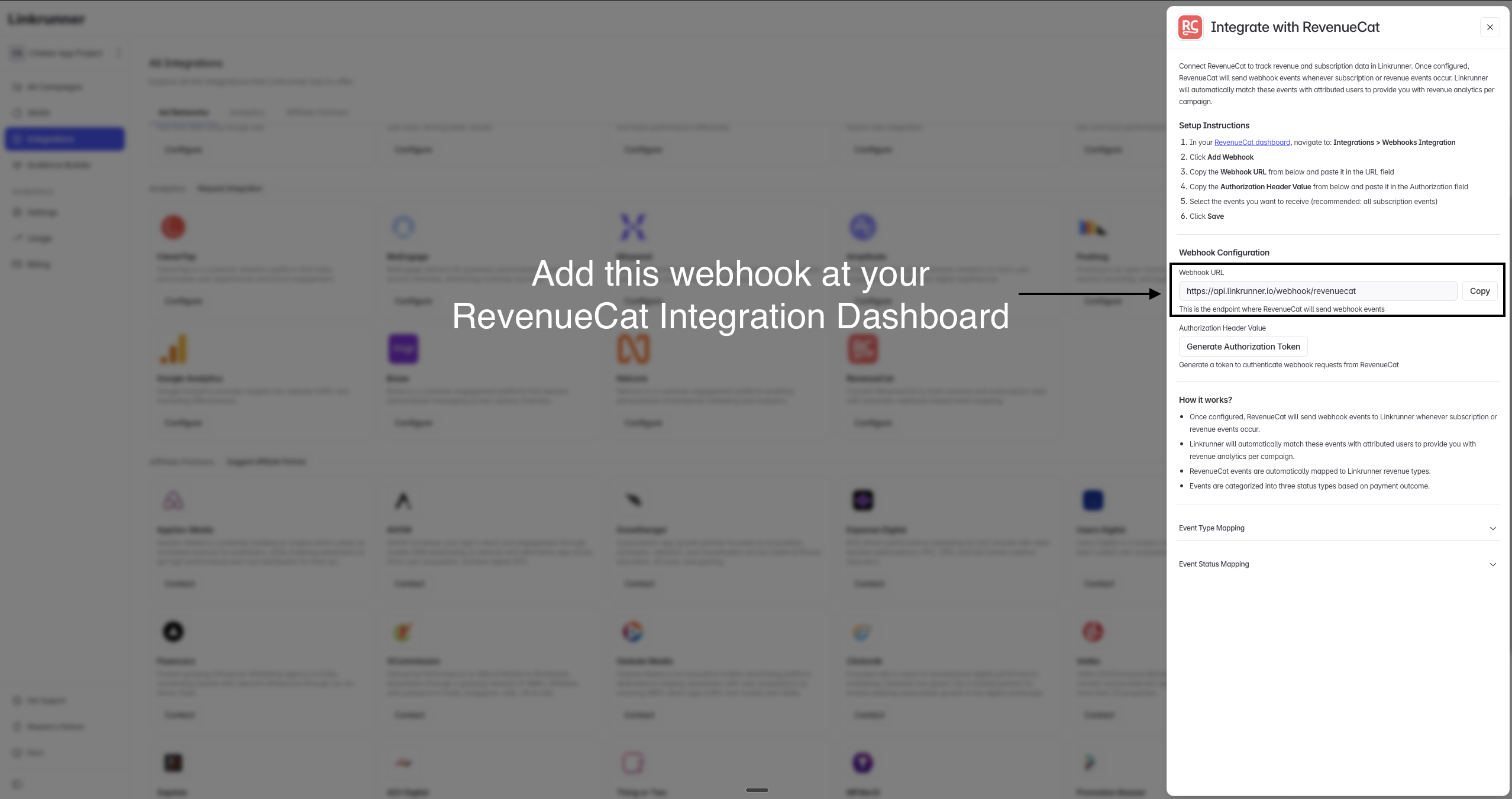
In the RevenueCat configuration panel, you'll see the Webhook URL. Copy this URL — you'll need to add it to your RevenueCat dashboard.
The webhook URL is: https://api.linkrunner.io/webhook/revenuecat
Generate an Authorization Token
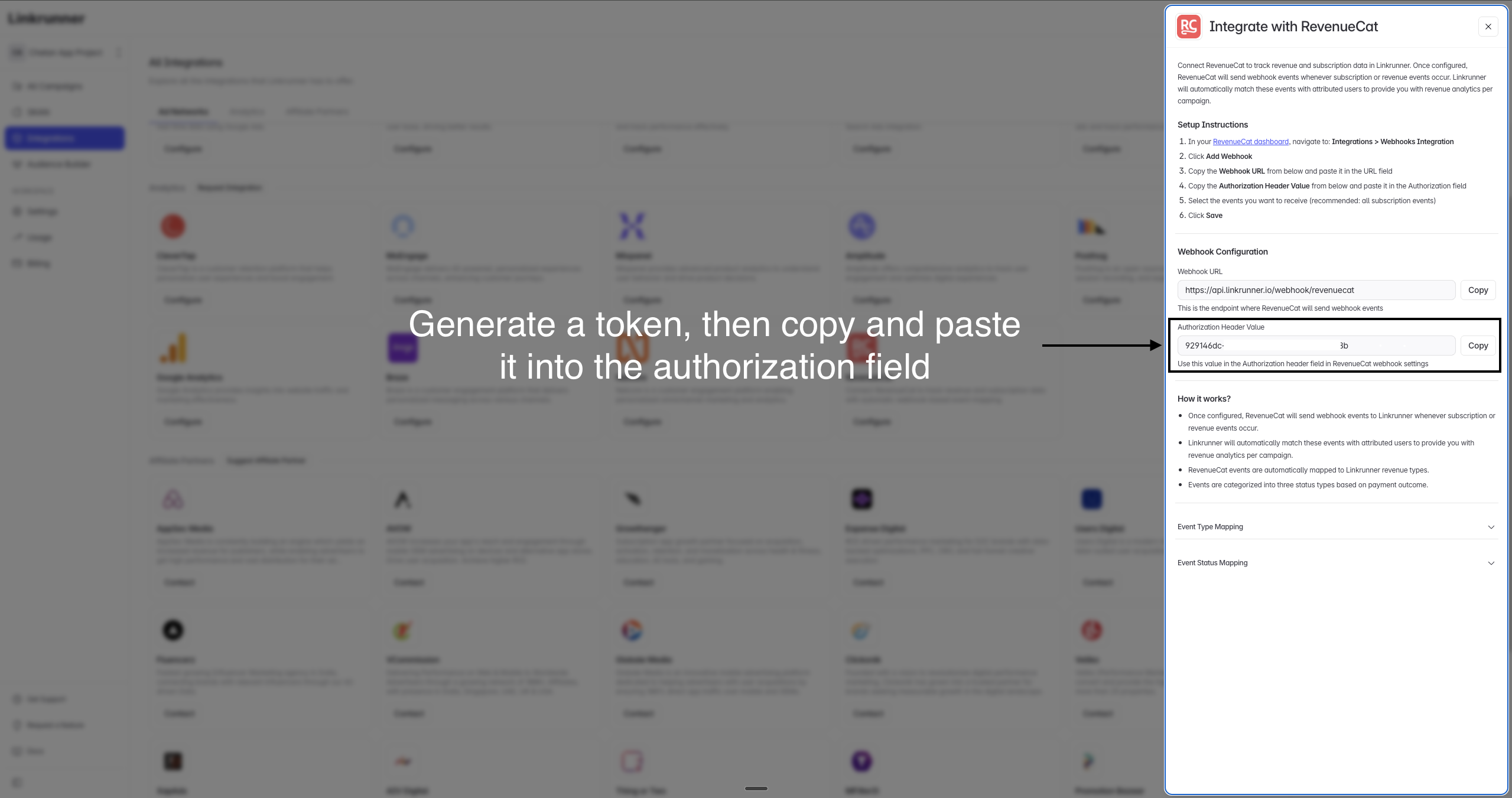
Click Generate Authorization Token in the Linkrunner configuration panel. Copy the generated token — you'll need this for the authorization field in RevenueCat.
Configure Webhook in RevenueCat
Now head to your RevenueCat dashboard to set up the webhook:
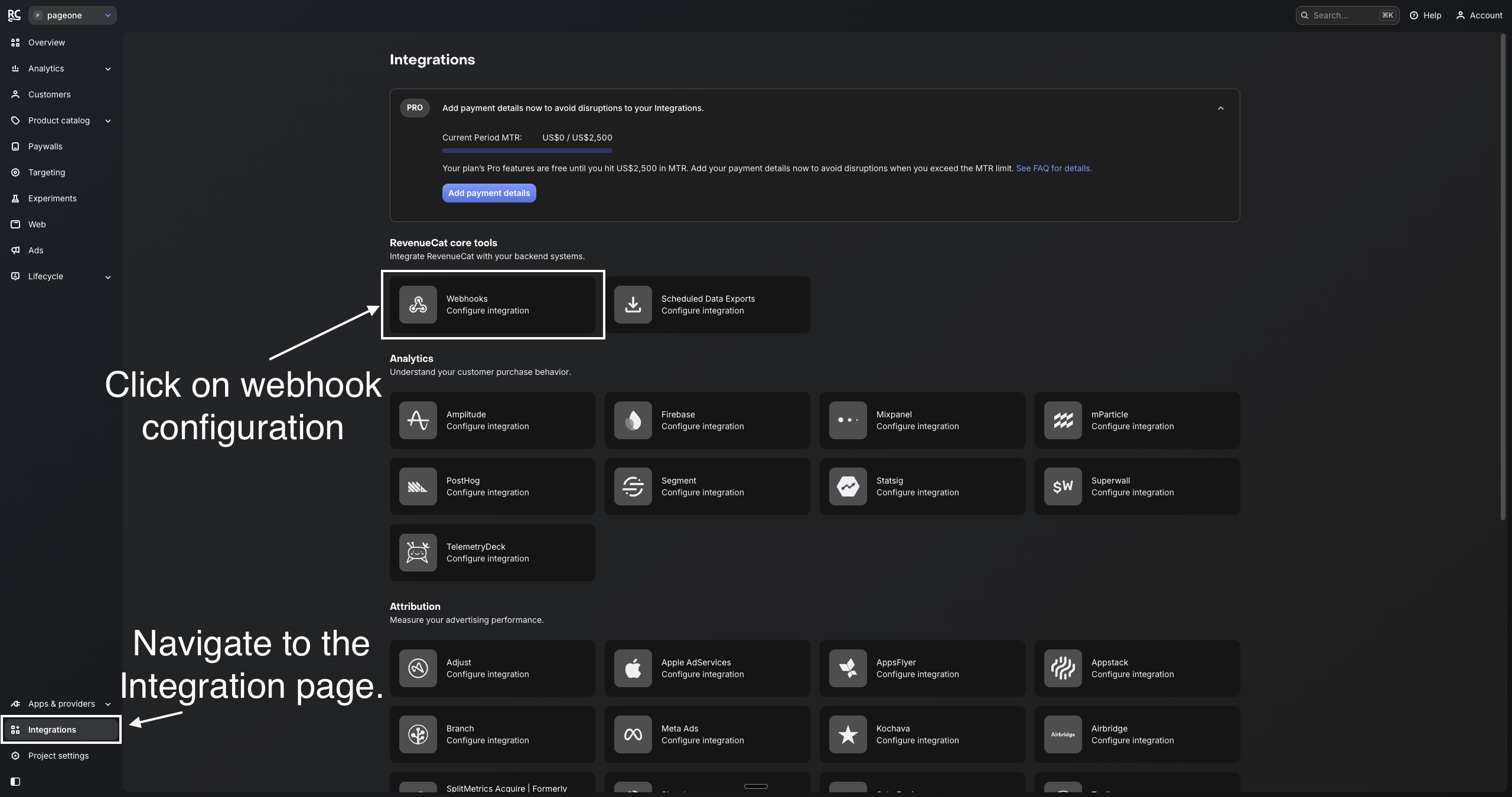
- In your RevenueCat dashboard, navigate to the Integrations page from the left sidebar
- Under RevenueCat core tools, click on Webhooks to configure the integration
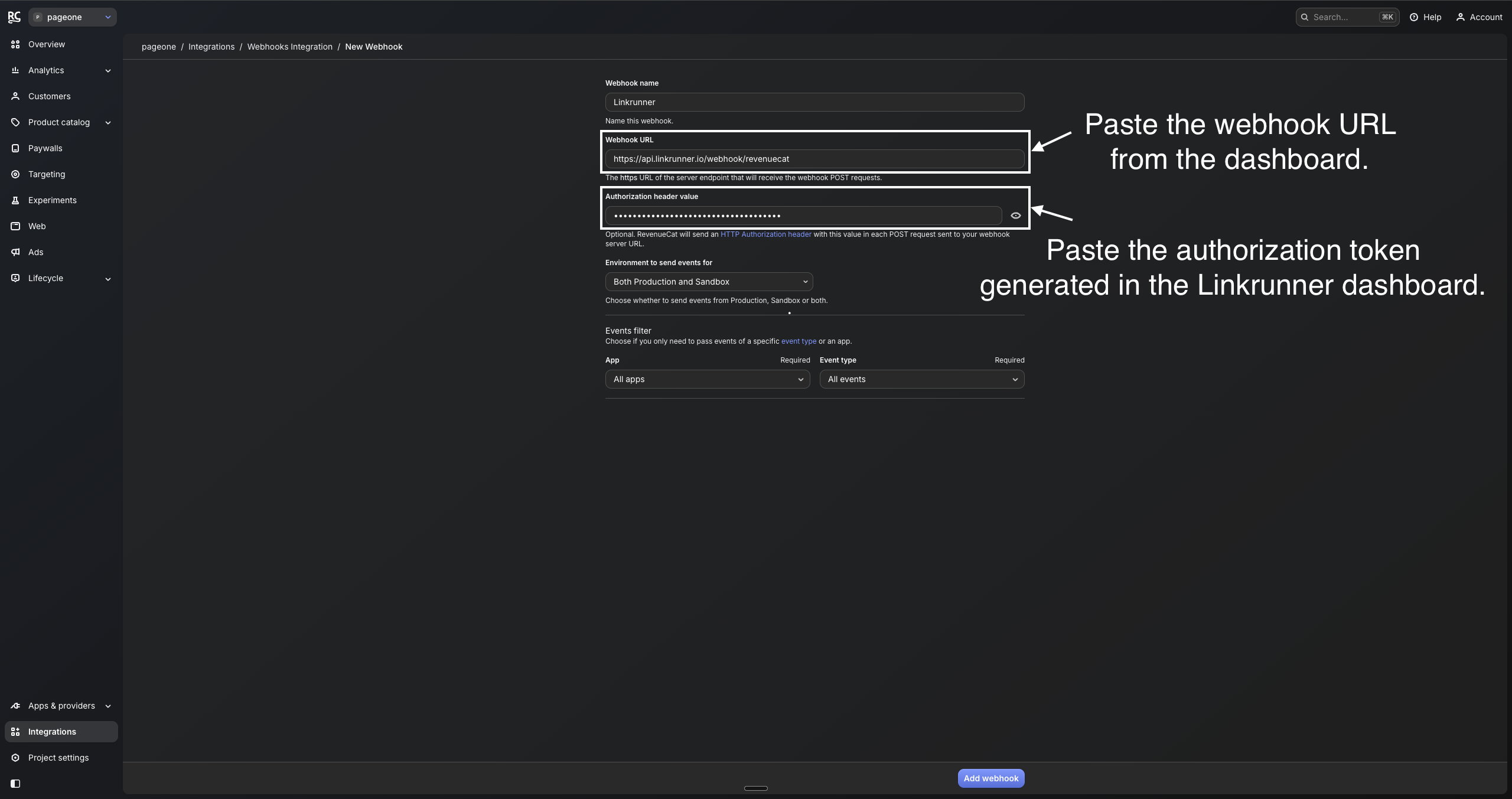
- Click Add Webhook and fill in the following details:
- Webhook name:
Linkrunner - Webhook URL: Paste the webhook URL copied from the Linkrunner dashboard
- Authorization header value: Paste the authorization token generated in the Linkrunner dashboard
- Environment to send events for: Select Both Production and Sandbox (recommended)
- Events filter: Select All apps and All events (recommended)
- Webhook name:
- Click Add webhook to save
Event Type Mapping
RevenueCat events are automatically mapped to Linkrunner revenue types:
| RevenueCat Event | Linkrunner Revenue Type | Description |
|---|---|---|
| INITIAL_PURCHASE | FIRST_PAYMENT | First subscription purchase |
| RENEWAL | SUBSCRIPTION_RENEWED | Subscription renewal payment |
| NON_RENEWING_PURCHASE | ONE_TIME | One-time purchase |
| CANCELLATION | SUBSCRIPTION_CANCELLED | User cancelled subscription |
| UNCANCELLATION | SUBSCRIPTION_RENEWED | User reactivated subscription |
| REFUND | SUBSCRIPTION_REFUNDED | Payment refunded to user |
| BILLING_ISSUE | SUBSCRIPTION_BILLING_ISSUE | Payment failed or billing problem |
| PRODUCT_CHANGE | SUBSCRIPTION_RENEWED | User changed subscription tier |
| EXPIRATION | DEFAULT | Subscription expired naturally |
Event Status Mapping
Events are categorized into three statuses based on the payment outcome:
| Status | Events |
|---|---|
| Payment Completed | INITIAL_PURCHASE, RENEWAL, NON_RENEWING_PURCHASE, UNCANCELLATION, PRODUCT_CHANGE |
| Payment Failed | BILLING_ISSUE |
| Payment Cancelled | CANCELLATION, REFUND |
Viewing Revenue Data
After the integration is complete, Linkrunner will automatically:
- Match incoming RevenueCat events with attributed users
- Map events to the corresponding Linkrunner revenue types
- Provide revenue analytics per campaign in your Linkrunner dashboard
This data helps you understand which campaigns are driving the most valuable users in terms of subscription revenue and lifetime value.