

Appearance
Running Remarketing Campaigns
Once you have created your audience segments, you can use them to run remarketing campaigns on Meta and Google.
Meta
Prerequisites
- You have created a Custom Audience in Meta Ads Manager.
Steps
Open Ads Manager and click Create.
Select the right campaign objective.
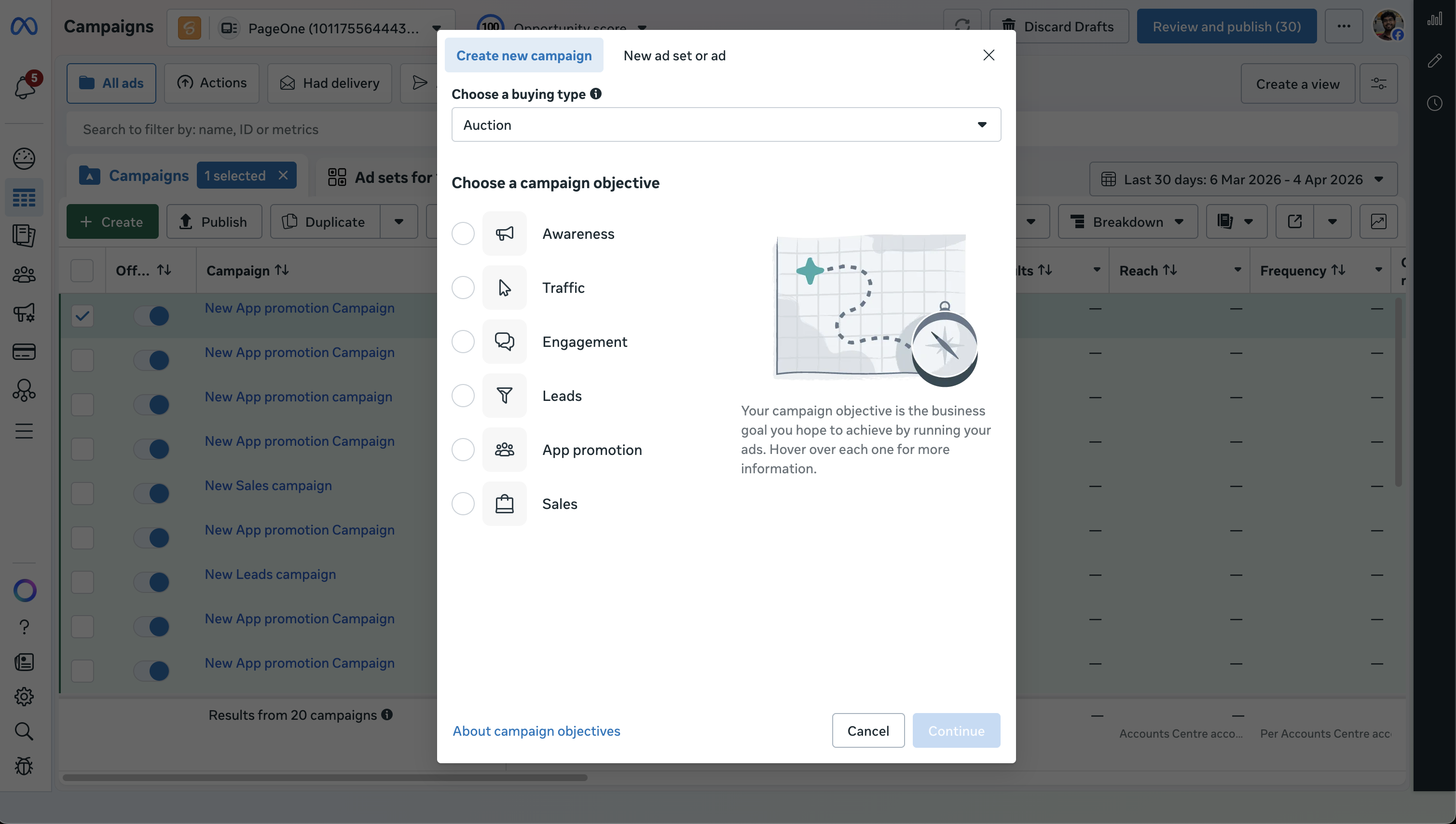
Set the campaign name.
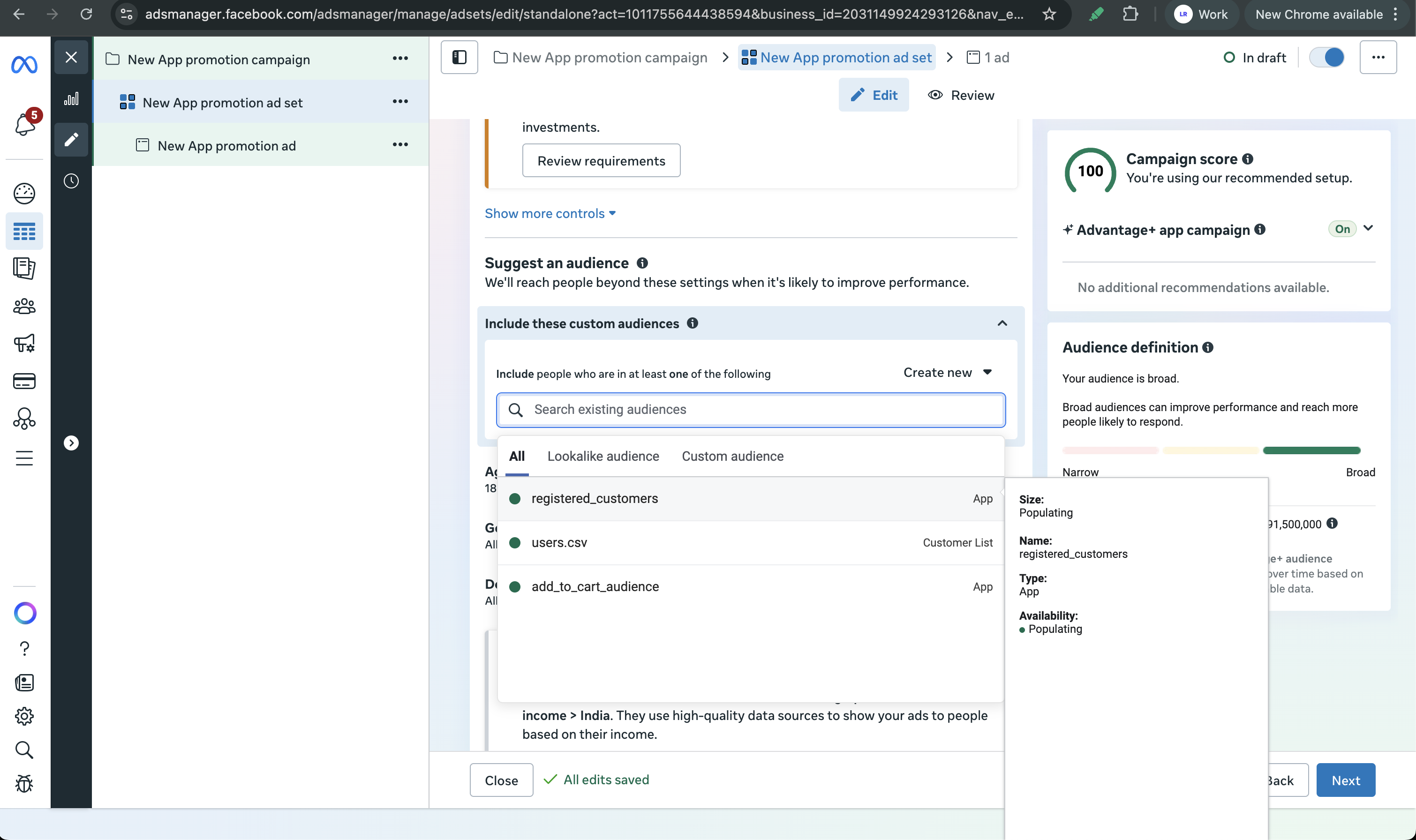
At the ad set level, scroll to the Audience section.
Under Include these custom audiences, search for and add the custom audiences you created in Audience Manager.
Configure the rest of your ad set (placements, budget, schedule) and add your creatives.
Review and publish the campaign.
Google
Prerequisites
- You have created an audience segment in Google Ads Audience Manager.
Steps
In Google Ads, click New campaign.
Pick a campaign goal and subtype.
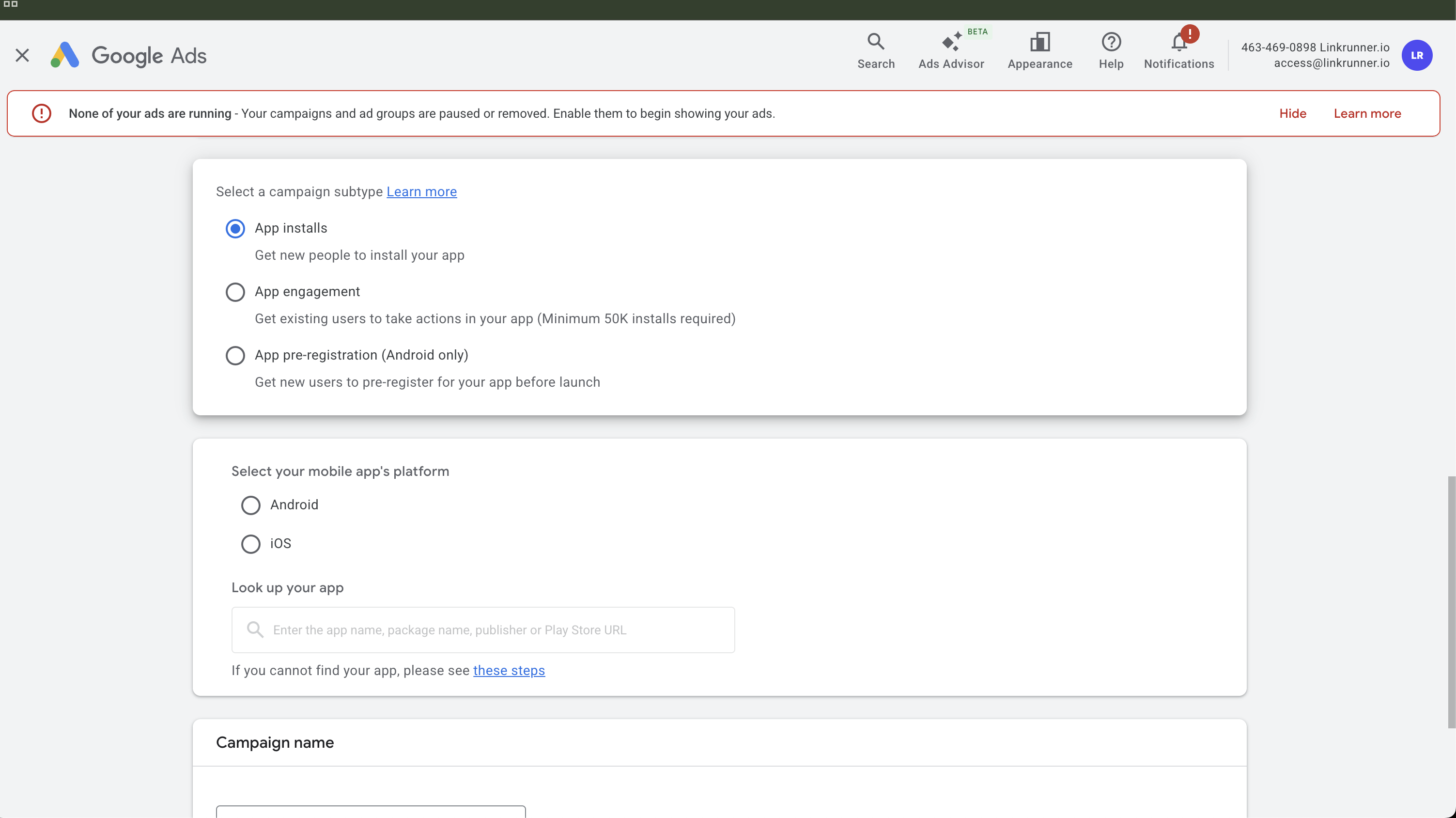
The App engagement subtype is only available for apps with 50,000+ installs.
Select your app platform and choose the app.
Set budget, bidding, locations, and campaign dates.
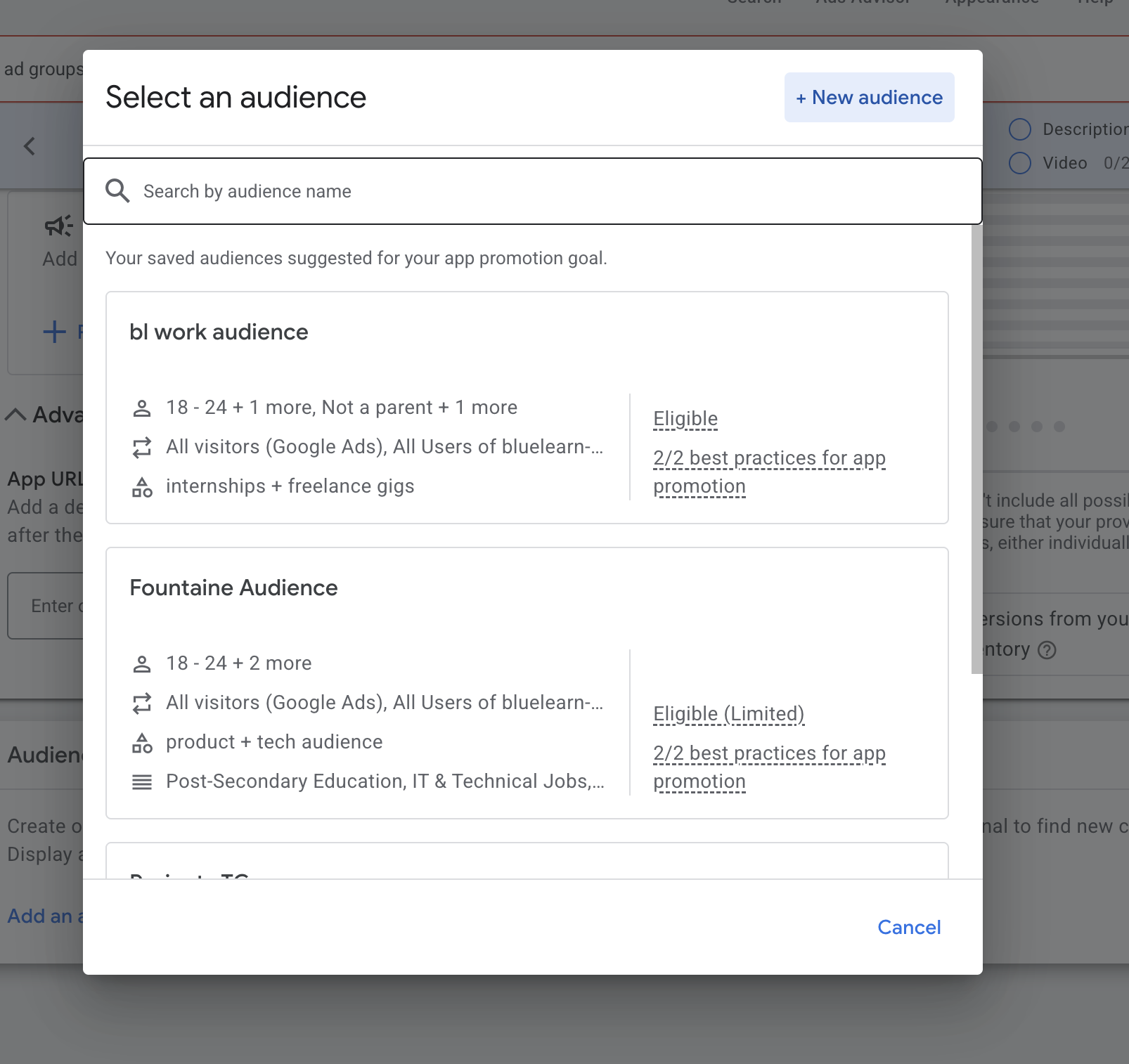
At the ad group level, scroll to the Audience signal section.
Click Add an audience signal and select your saved audience list or audience segment.
Add creatives and assets.
Review campaign settings and launch.