

Appearance
Test the Web SDK
Check that your website sends sign-ups, campaign visits, custom events, and purchases to Linkrunner.
Open SDK Testing → Web SDK in the dashboard. You need to be a project admin or member.
1. Register your test browser
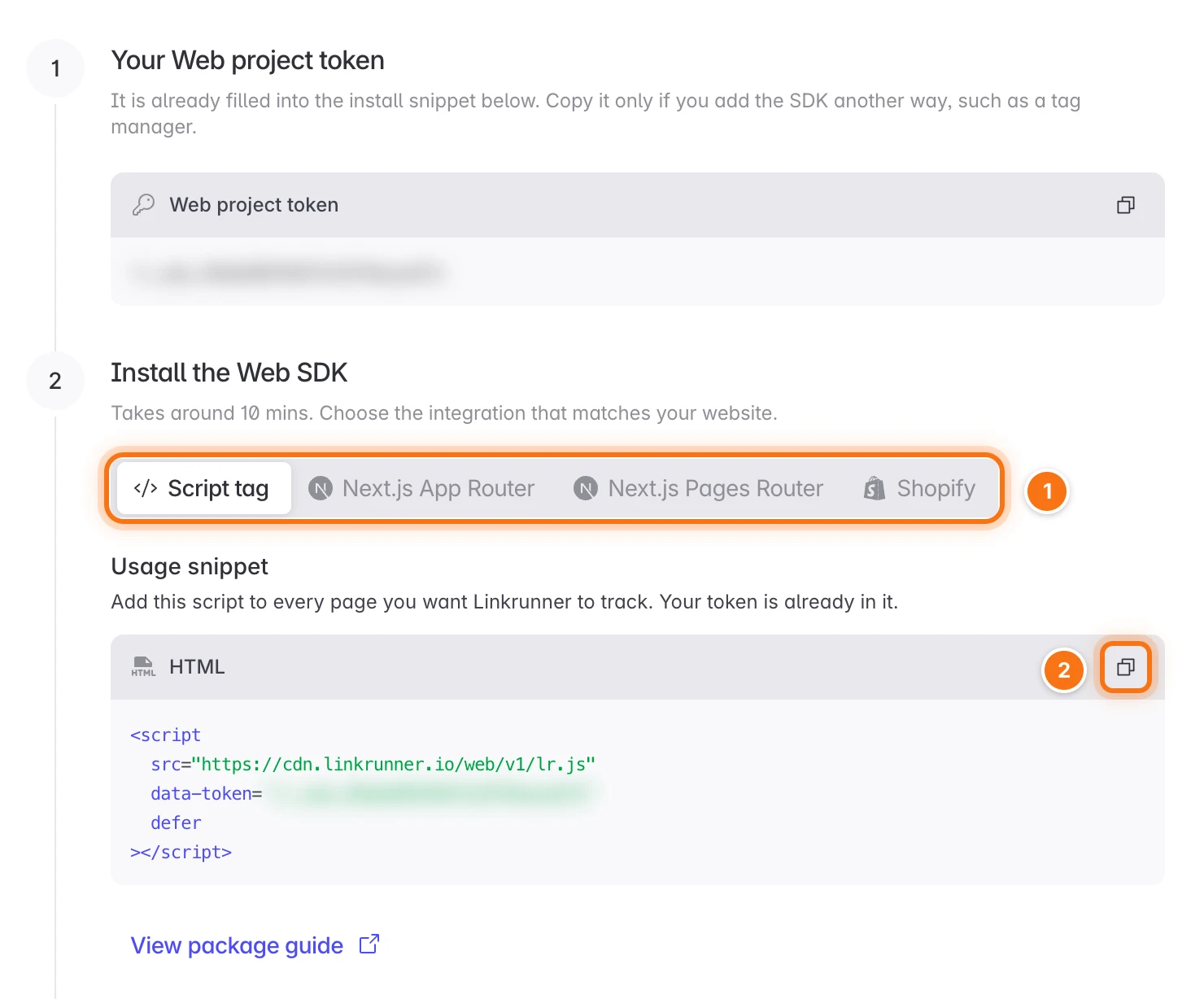
Install the Web SDK
Choose how your website loads the SDK, copy the snippet, and deploy it to your website. Your token is already filled in.
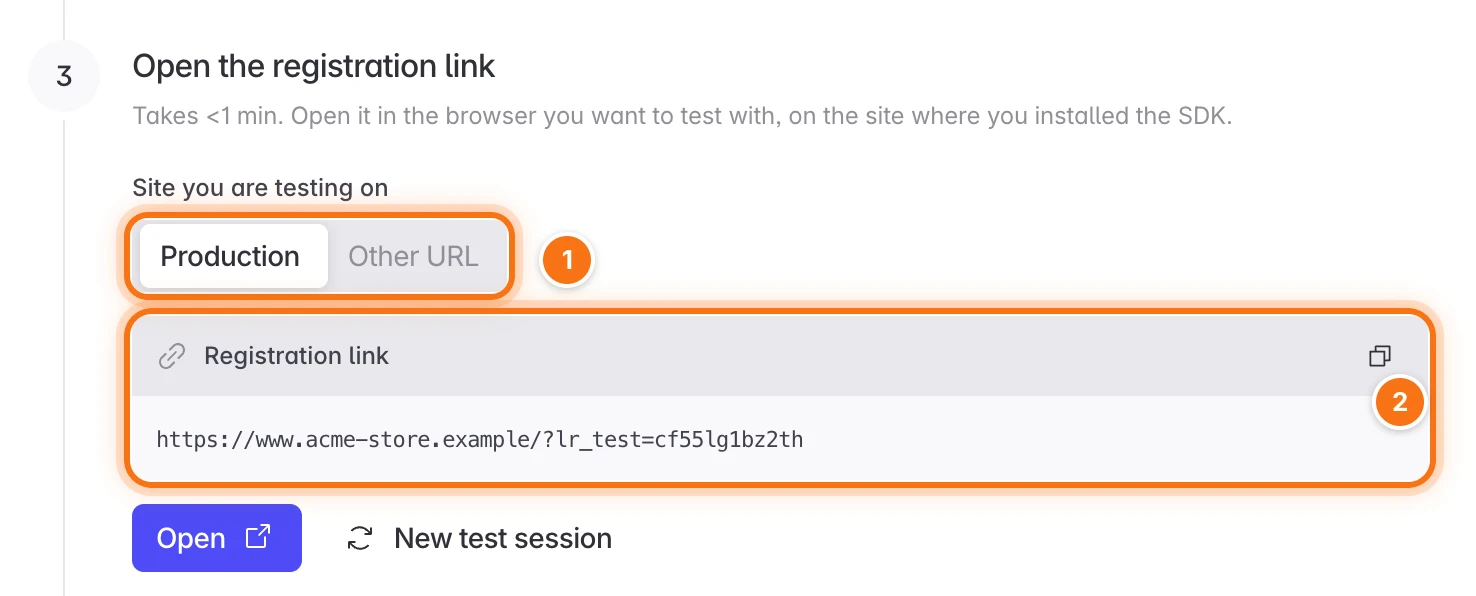
Open the registration link
Choose Production, or Other URL to test on a staging or local site. Then click Open to open the registration link in the browser you want to test with.
Confirm your browser
Linkrunner registers your browser and moves to the next step. If more than one browser opened the link, click Register next to the one you are testing with.
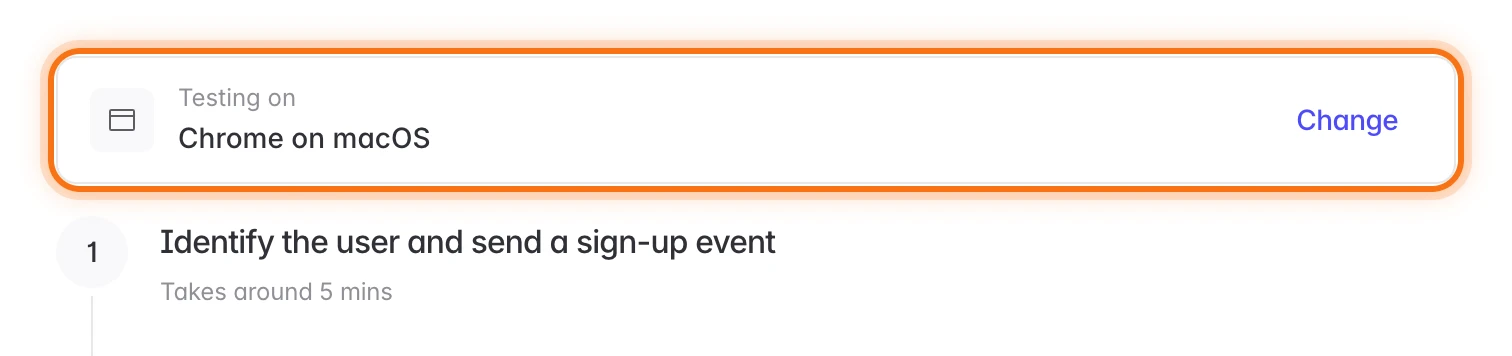
The next steps only count events from this browser, so other visitors on your website do not affect the test. The registration lasts until you leave SDK Testing or reload the page. After that, open the registration link again.
2. Test a sign-up
Sign up on your website in your test browser. When the step shows Sign-up received, click Next.
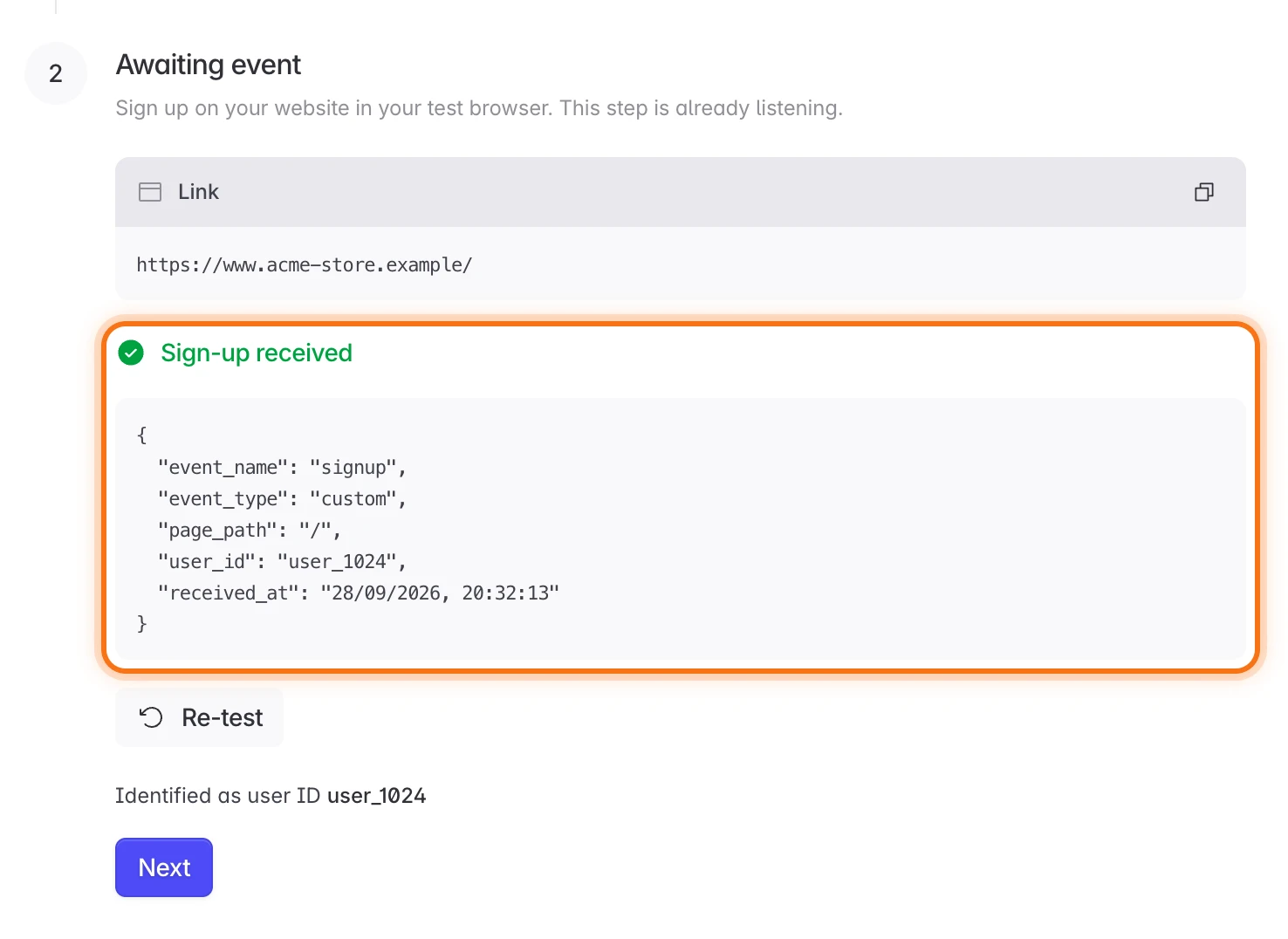
Your website needs to call identify and send a signup event. The step shows the code for your setup, and Identify users and track events explains it.
3. Test campaign attribution
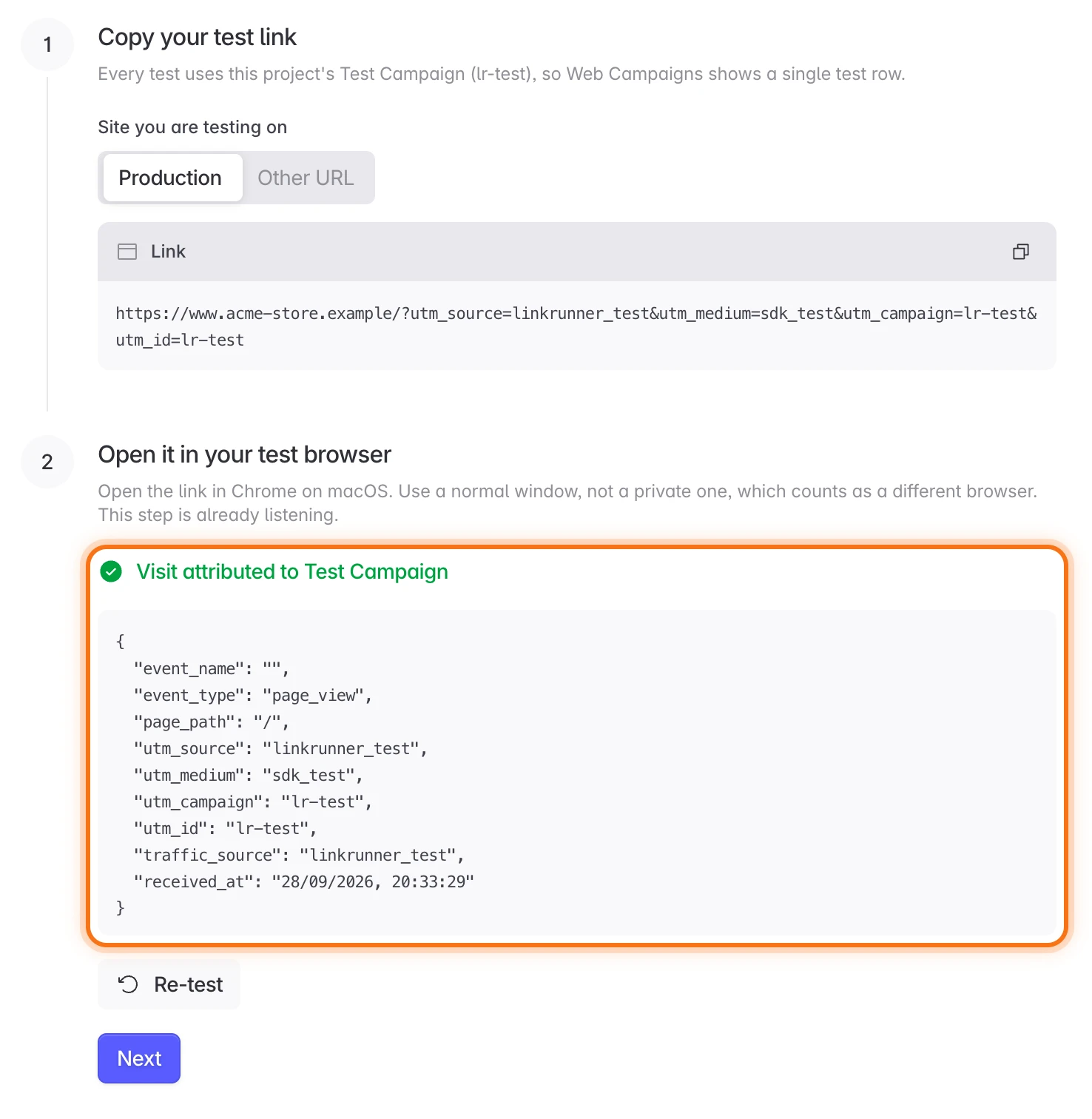
Copy the link under Copy your test link and open it in your test browser. The step shows Visit attributed to Test Campaign.
4. Test a custom event
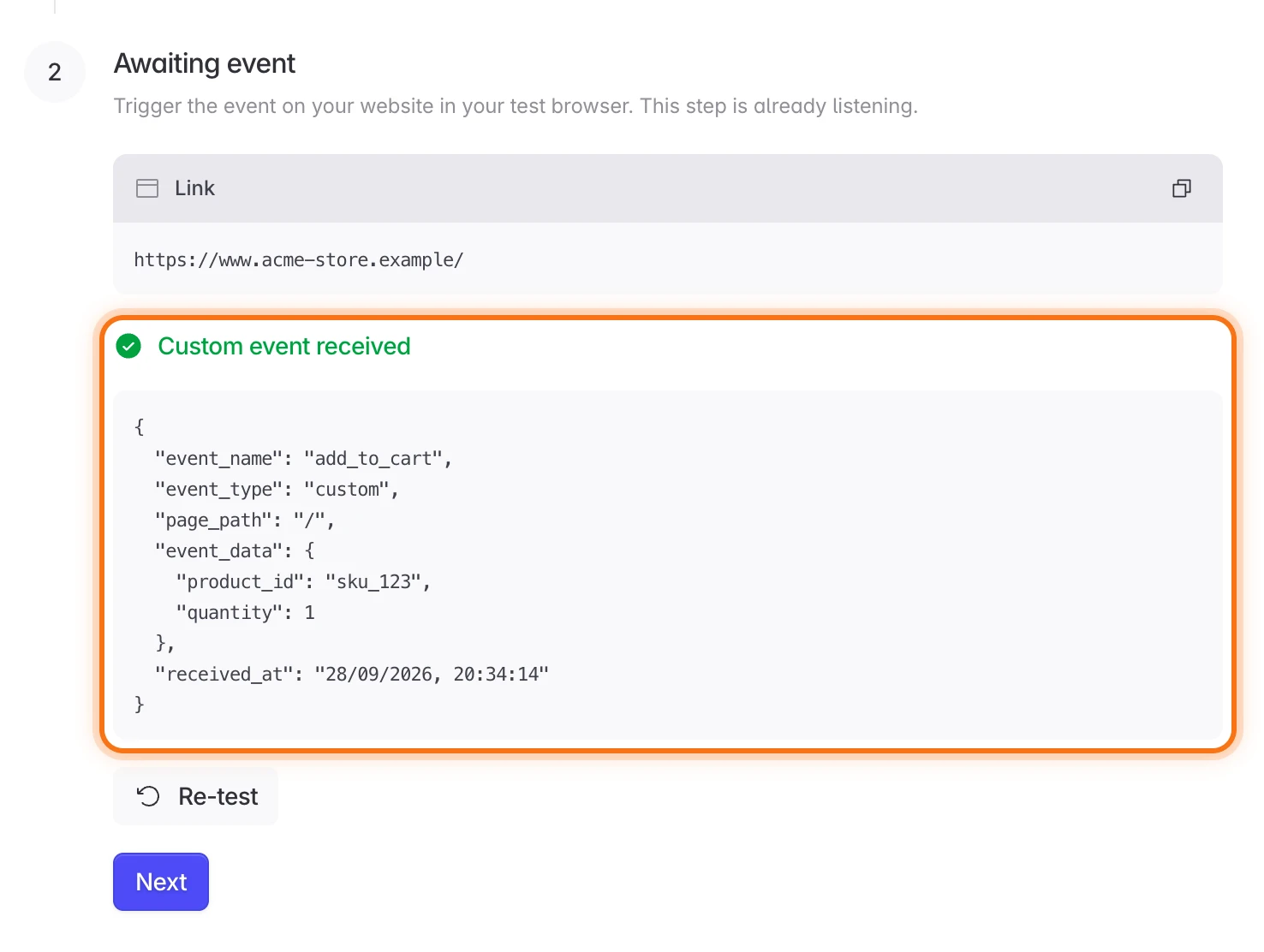
Do something on your website that sends an event, such as adding an item to the cart. The step shows Custom event received.
5. Test a purchase
Make a test purchase on your website. The step shows Purchase received with the amount.
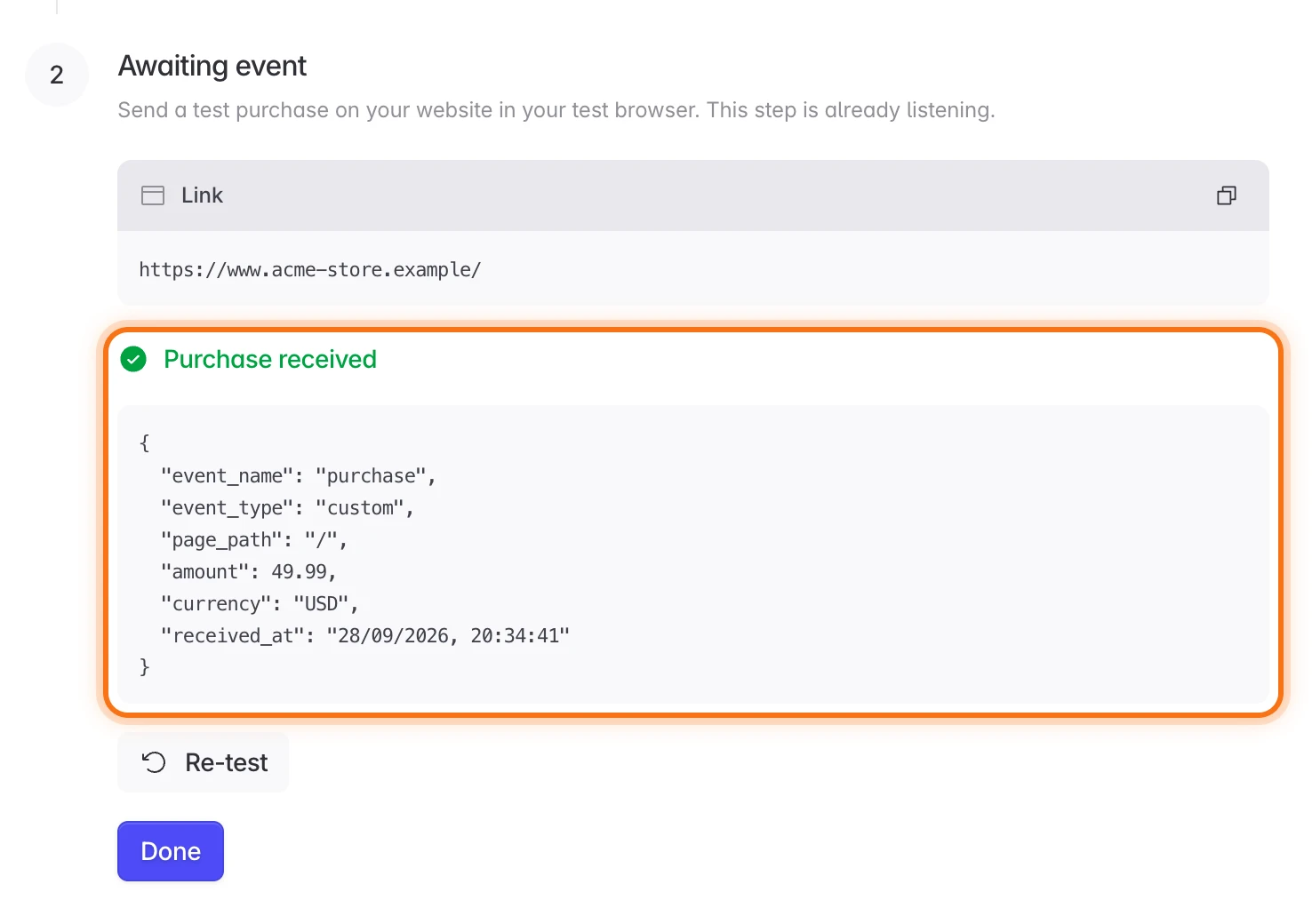
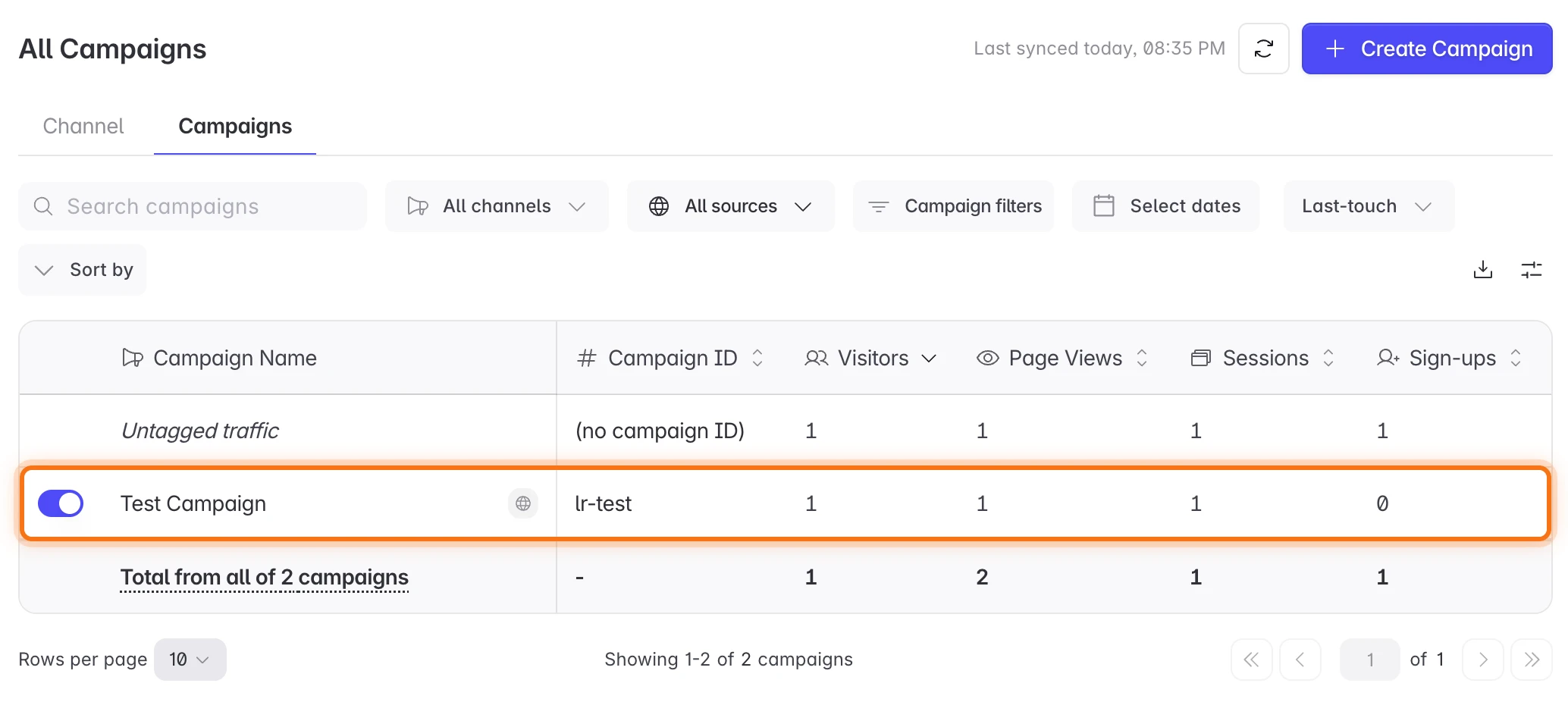
Click Done. Web Campaigns opens with a Test Campaign row for your test visit.
If something does not show up
- Your browser does not appear after you open the registration link: check that the snippet is live on the site you opened, and turn off ad blockers in your test browser.
- A step keeps waiting: send the event from the browser you registered, after the step has opened.
Need help? Contact support@linkrunner.io.